
Retro Game Console with Built-In Games: Buyer’s Guide & Comparison
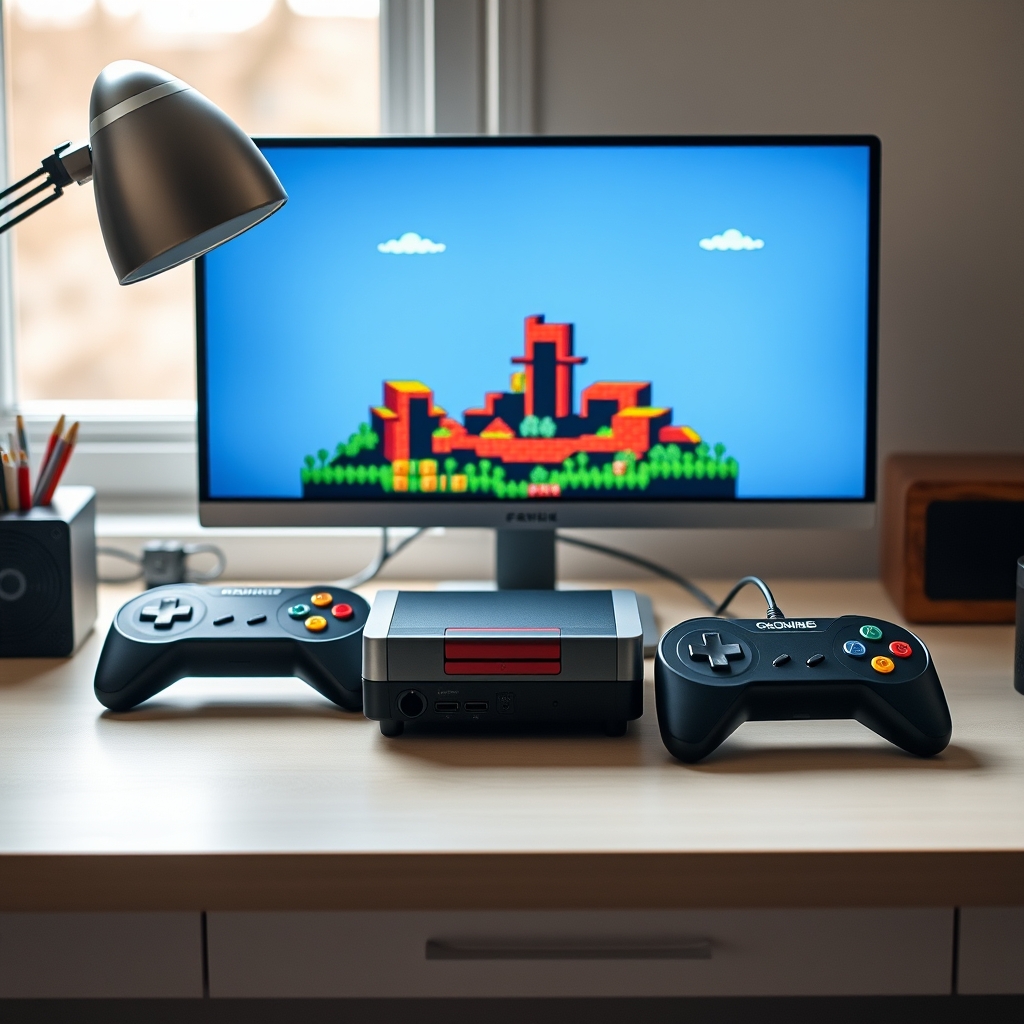
Nostalgia for 8-bit chip tunes, CRT scanlines, and tactile two-button controllers has driven a massive revival in classic gaming. However, choosing an authentic retro game console with built-in games can feel surprisingly complicated. The market is saturated with options ranging from premium official miniaturized classic systems to cheap grey-market TV sticks promising tens of thousands of titles.
Not all retro plug-and-play devices deliver a smooth experience. Screen distortion, missing background tracks, severe input lag, and duplicate software listings frequently turn an exciting trip down memory lane into a frustrating ordeal. Knowing what hardware features matter—and how to spot lower-quality clones—ensures you get a system that plays smoothly on modern high-definition displays.
Understanding the Retro Console Market: Official Minis vs. Handhelds vs. TV Sticks
Modern plug-and-play systems with preloaded titles generally fall into three distinct hardware categories. Understanding these distinctions is the first step toward finding a device that matches your expectations.
Official Mini Consoles
Produced directly by original hardware manufacturers like Nintendo, Sega, and Atari, mini consoles are scaled-down replicas of iconic home hardware. Examples include the NES Classic Edition, Super NES Classic, Sega Genesis Mini 2, and the Atari 2600+. These systems feature officially licensed emulation software tailored specifically to the included game library. Controllers mimic the exact weight, button feel, and layout of the original hardware.
Dedicated Portable Handhelds
Linux- and Android-based handhelds from manufacturers like Anbernic, Miyoo, and Powkiddy have matured significantly. These compact units pair bright IPS screens with system-on-chip (SoC) processors capable of emulating consoles from the 8-bit era up through 32-bit and 64-bit platforms. Many come preconfigured with curated libraries, expandable microSD storage, and rechargeable lithium-ion batteries.
HDMI TV Sticks and Plug-and-Play Clones
Direct-to-TV HDMI dongles and unbranded plastic consoles flooded online marketplaces as microprocessors became cheaper. While affordable, a budget retro game console with built-in games in this category often relies on low-tier mobile chips, leading to erratic frame rates and audio pitch distortion.
Comparison of Retro Console Categories
Key Hardware Criteria: Display Quality, Latency, and Audio Accuracy
Old-school video games were engineered to run on analog Cathode Ray Tube (CRT) televisions, which displayed images instantaneously with zero digital frame buffering. Modern flat-panel TVs process video signals differently, which introduces several technical hurdles when displaying vintage games.
Input Latency and Controller Response
Input lag is the delay between pressing a button on your controller and seeing the character leap on screen. In fast-paced platformers like Super Mario World or action titles like Contra, a delay of even 50 to 100 milliseconds ruins gameplay timing. High-quality systems use low-latency wireless protocols or direct wired connections to keep input lag unnoticeable.
Aspect Ratio and Video Scaling
Classic home hardware outputs video in a 4:3 square aspect ratio. Cheap plug-and-play systems frequently stretch 4:3 video signals to fit modern 16:9 widescreen displays by default, distorting character sprites. A well-designed retro game console with built-in games offers toggleable video modes, allowing you to choose pixel-perfect 4:3 aspect ratios, CRT scanline filters, or subtle smoothing filters.
Sound Synthesis and Pitch Accuracy
Consoles like the Sega Genesis utilized custom FM sound chips (Yamaha YM2612) that are notoriously difficult to emulate accurately on low-power chips. Inferior hardware often produces flat, out-of-tune background music or missing sound effects. Dedicated systems utilize properly optimized emulation backends to preserve the original sound signature.
The Truth About "10,000-in-1" Plug-and-Play Consoles
It is common to see online listings marketing a retro game console with built-in games alongside promises of 10,000, 20,000, or even 50,000 pre-installed games. Consumers should approach these inflated counts with skepticism.
- Massive File Duplication: Listings routinely count the exact same game game multiple times across different regional releases (US, Europe, Japan) or list slight hack variants as entirely separate titles.
- Corrupted File Systems: Unbranded storage cards packaged with generic sticks use ultra-low-cost flash memory that frequently corrupts after a few power cycles, rendering saves unreadable.
- Mislabeled and Non-Functional Rom Libraries: Hundreds of entries in these mega-lists often fail to launch entirely or crash after the title screen due to missing configuration files.
- Unsorted User Interfaces: Navigating through 20,000 unorganized file names without working search functions, cover art, or genre filters makes finding a specific game tedious.
Investing in a system with 30 to 200 carefully tested, high-quality titles almost always yields a superior experience compared to an uncurated list of tens of thousands of broken files.
How Licensing and Copyright Impact Game Selection
When evaluating any retro game console with built-in games, the legal status of the software library directly influences price and long-term availability. Official manufacturers pay licensing fees to original publishers (such as Capcom, Konami, Square Enix, and Bandai Namco) to legally include third-party classics alongside first-party titles.
Unlicensed plug-and-play sticks bypass copyright law by pre-loading unauthorized ROM files. Organizations like the U.S. Copyright Office enforce digital copyright standards, which is why commercial platforms selling pirated software bundles are frequently delisted from major storefronts without notice.
For readers interested in preserving classic games legally, digital archiving efforts led by institutions such as the Internet Archive highlight the importance of software preservation while respecting intellectual property frameworks.
Choosing the Right Console by Retro Generation
Your choice should depend largely on the specific era of video games you want to revisit.
8-Bit and 16-Bit Era (NES, Master System, SNES, Genesis)
These systems require very little processing power. Almost any modern chip can run 8-bit and 16-bit games seamlessly, provided the controller D-pad is responsive. Focus on finding hardware with comfortable controllers and clean 4:3 HDMI output.
32-Bit and 64-Bit Era (PlayStation 1, Sega Saturn, Nintendo 64)
3D graphics, early polygon rendering, and CD-audio require higher processing headroom. Systems emulating Nintendo 64 or PlayStation 1 need a more robust processor (such as an RK3326 or Allwinner H616) and dedicated memory to avoid frame drops, crackling audio, and visual artifacts.
Arcade Classics (MAME, Neo Geo)
Arcade hardware varied wildly in architecture. Buying a retro game console with built-in games focused on arcade titles requires hardware capable of handling variable display refresh rates and multi-button layouts (6-button fighter configurations).
Essential Checklist Before Purchasing
Before adding a retro system to your cart, run through this practical buying checklist:
- Controller Build Quality: Does the D-pad use a proper central pivot to prevent accidental diagonal inputs?
- Power Source Requirements: Does the unit run off a standard 5V/1A USB power supply, or does it require a dedicated AC adapter?
- Save State Functionality: Can you save your progress anywhere in the game, or are you dependent on original, often unforgiving, password systems?
- Display Connectivity: Does the console output native digital HDMI, or does it rely on composite (yellow/red/white RCA) jacks that require additional adapters for modern TVs?
- Expandability: Does the console allow you to add your own legally obtained backups via SD card, or is the internal memory locked down permanently?
Related Articles
 Gaming
How to Check If Your Laptop Can Run Any Game (Step-by-Step)
September 3, 2026 Gaming
Is Google Play Games on PC Laggy? Causes and Quick Fixes
September 3, 2026 Gaming